Details
Item conditionNew
BrandEA App / Origin
Conditionnew
Product description
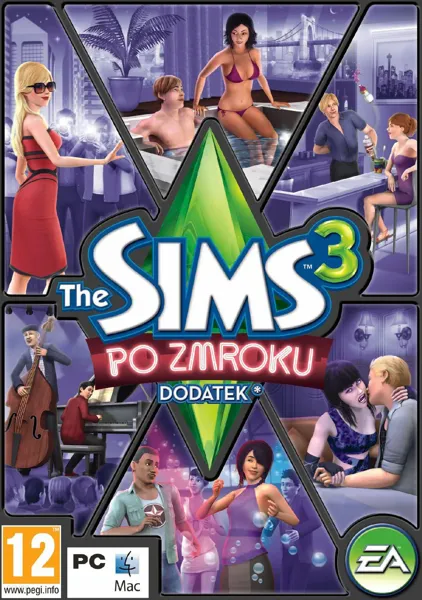
ATTENTION! YOU NEED THE SIMS 3 BASE EDITION TO PLAY! To activate the code, follow the instructions below: Go to the http://www.thesims3.com website and create an account if you don't already have one. If you already have an account, skip to step 2. If you have an Origin account, use the same email address and password to sign up for http://www.thesims3.com. Once you are a registered http://www.thesims3.com user, log in to your account so that you can register your game codes. Click the My Page tab. Then click on the My Account tab. Click Register Game. Enter the product code for the add-on or bundle. Click the green Register button. If the above method doesn't work, follow the instructions below: If you haven't already, create a free Origin/EA account on the www.origin.com website. Log in to The Sims 3 Community with your Origin email and password. If this is your first time logging in, use the provided key for the base version of The Sims 3 during the registration process. To activate games on your Sims 3 account, select "My Page" -> "My Account" -> "Register Game" Enter your 20-character key for The Sims 3, Late Night Expansion Pack, or High End Loft Stuff. (Note: If you entered the base version of The Sims 3 in step 2, you don't need to enter it again) That's all! The games will be automatically added to your Origin account and can be accessed and downloaded through the Origin client. Turn your Sims into party-loving rock stars. The Sims 3 After Dark Expansion Pack on PC lets your Sims go wild in a whole new way: visit local dives, circle between clubs, and party among bloodthirsty vampires. Hey, vampires are entitled to a little fun, too. Just don't let them get close to your Sim's neck. This expansion also introduces new careers. Your Sims can serve drinks as mixologists, play guitar in a rock band, or become local celebrities who take VIP seats wherever they go. FEATURES: Visit the best venues in the city - from ordinary spelunks, through discos, to exclusive clubs with bouncers guarding the entrance. Earn fame and money as a band member, mixologist, director, or celebrity. In certain regions of the city, your Sims can discover a dark secret and become a vampire. Get access to exclusive venues and enjoy the privileges of celebrity - a luxury suite, jacuzzi, and expensive cars.
The Sims 3 - Late Night

Sign in to see user's data
zł28.99
0
Article number1027109
Payment methods
Please log in to see payment methods.
See


